
StmDfuBlue - Google Play
You'll be able to see results in few seconds.
Publisher Description
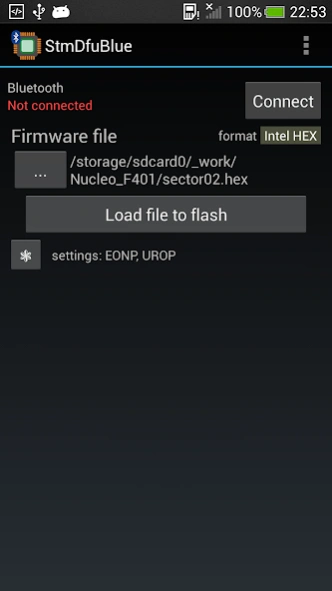
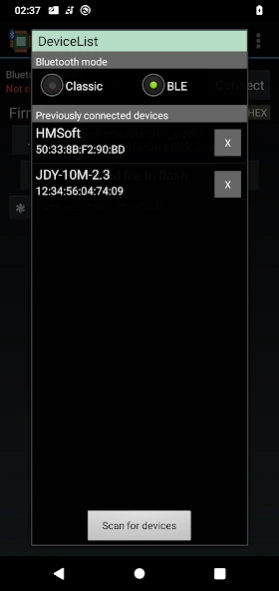
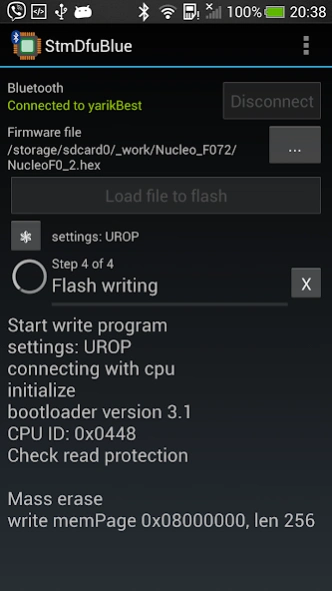
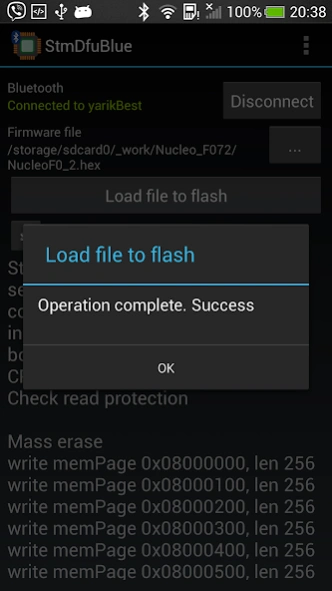
Updating firmware of Stm32 CPU via Bluetooth by using Bluetooth-to-Serial module
Application for updating firmware of Stm32 CPU via Bluetooth by using Bluetooth-to-Serial modules.
It support modules with classic bluetooth SPP protocol (i.e. HC-06) and also BLE modules on microcontroller cc254x (i.e. HM-10)
Realization of the application is based on next documents from company STMicroelectronics.
1. AN2606 STM32 microcontroller system memory boot mode
2. AN3155 USART protocol used in the STM32 bootloader
How to use application.
PREPARATION
1. Set correct serial configuration in Bluetooth-to-Serial module. It should be 8 bits, even parity and 1 Stop bit and baud rate from 1200 to 115200. How set configuration read in datasheet for your Bluetooth-to-Serial module.
2. Connect Bluetooth-to-Serial module to your Stm32 board.
In general r Stm32 uses next pines for serial bootloader
PA10 (USART RX) and PA9 (USART_TX)
3. Activate bootloader mode for Stm32. How to do this read in AN2606. In general you should set pins BOOT0 and BOOT1 in correct combination according to model of your CPU.
PROGRAMMING
1. Turn on bluetooth in you phone and connect to Bluetooth-to-Serial module
2. Select file with firmware you want to write.
Firmware file should be in one of following format
- Intel hex
- Motorola S-Record
- Raw binary
3. Set writing options you need. You can select next options
- Erase only necessary pages
- Unset readout protection if need
- Set readout protection after writing
- Go CPU after programming
4. Press button "Load file to flash" and wait for finish of operation.
Additionaly in application available next operation
- Erasing
- Checking flash for blank
- Compare flash with file.
You can select this operation via apropriated point in menu.
Application is checked on next CPU:
Stm32F072
Stm32F103
Stm32F302
Stm32F401
Stm32F411 checked by user
Stm32L053
Stm32L152
Stm32L432
Stm32G071
Stm32G474
RESTRICTION OF USING
You can make till 25 firmware uploading fully free.
After you achieved this limit you can purchase one of two services
1. additional 100 uploading
2. unlimited using of application.
About StmDfuBlue
The company that develops StmDfuBlue is Yaroslav Trymbach. The latest version released by its developer is 1.0 .
To install StmDfuBlue on your Android device, just click the green Continue To App button above to start the installation process. The app is listed on our website since 2025-09-19 and was downloaded 0 times. We have already checked if the download link is safe, however for your own protection we recommend that you scan the downloaded app with your antivirus. Your antivirus may detect the StmDfuBlue as malware as malware if the download link to com.yatrim.stmdfublue is broken.
How to install StmDfuBlue on your Android device:
- Click on the Continue To App button on our website. This will redirect you to Google Play.
- Once the StmDfuBlue is shown in the Google Play listing of your Android device, you can start its download and installation. Tap on the Install button located below the search bar and to the right of the app icon.
- A pop-up window with the permissions required by StmDfuBlue will be shown. Click on Accept to continue the process.
- StmDfuBlue will be downloaded onto your device, displaying a progress. Once the download completes, the installation will start and you'll get a notification after the installation is finished.
Program Details
System requirements
Download information
Pricing
Version History
version
posted on 2025-09-19
Updated to Android target SDK 35
version 1.29G
posted on 2025-02-24
Support of elf file format for firmware is added
version 1.26G
posted on 2024-09-22
Updated to Android target SDK 34
version 1.25G
posted on 2022-09-11
Bug fixing
Disclaimer
Official Google Play Link
We do not host StmDfuBlue on our servers. We did not scan it for viruses, adware, spyware or other type of malware. This app is hosted by Google and passed their terms and conditions to be listed there. We recommend caution when installing it.
The Google Play link for StmDfuBlue is provided to you by apps112.com without any warranties, representations or guarantees of any kind, so access it at your own risk.
If you have questions regarding this particular app contact the publisher directly. For questions about the functionalities of apps112.com contact us.
